



Java programmer expert


Do you want to program your first Hello World Java application but don’t know how to get started? This article walks you step-by-step through creating your first hello world Java program called TimeNow, which displays the current date and time.

V článku sa dozvieš:
Usually, the first lesson in programming is to deal with listing the Hello World! greeting to the console. And since I like original ideas, as the first Java application we will create a TimeNow program that will work like a digital watch – it will print the current date and exact time when the program is started. Whether you’re a beginner or a programmer, still in school or already working, everyone can do it with our tutorial. So let’s get started!
Basically, it is the simplest possible program that demonstrates how to write, translate and run code in a given language. Hello world programs are also useful for verifying that the development environment is properly installed and working.
In order to start developing Java applications, we first need to download and install two basic programs:
For Java, we have several environments to choose from. The most well-known development environments (IDEs) include IntelliJ IDEA, Eclipse and Netbeans.
Whichever one you choose, after installing the JDK and the development environment following our instructions, you’re ready to start programming in Java. The following procedure is the same for all environments. The images used are from the IntelliJ IDEA development environment.
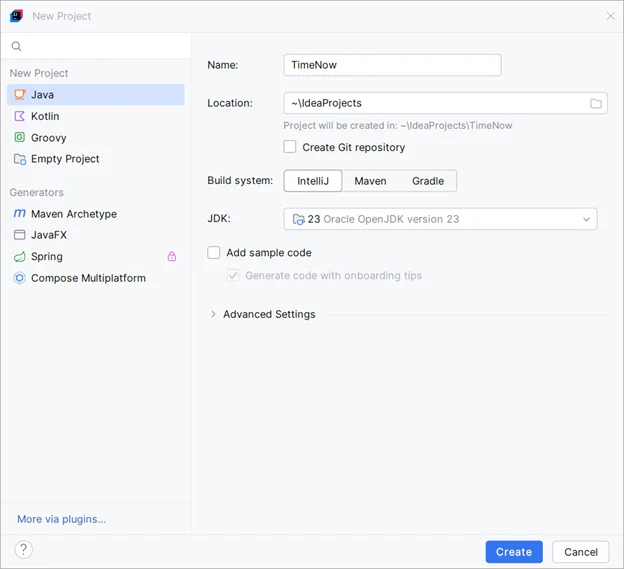
Creating a new project in the IntelliJ IDEA development environment
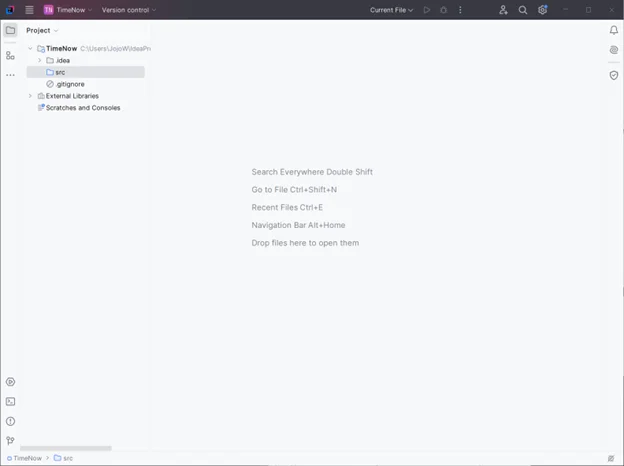
Empty Java project in IntelliJ IDEA development environment
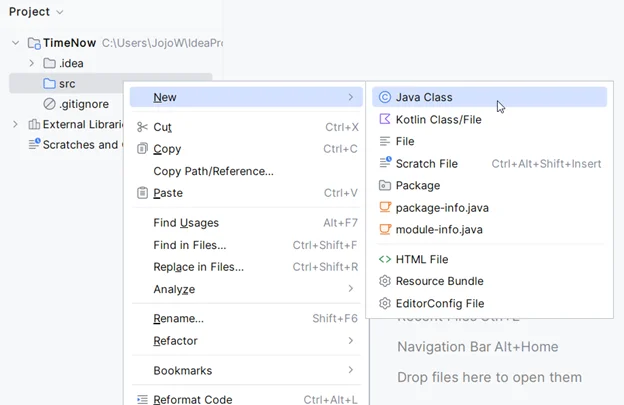
1. Right-click on the src tab and select New -> Java class from the context menu.
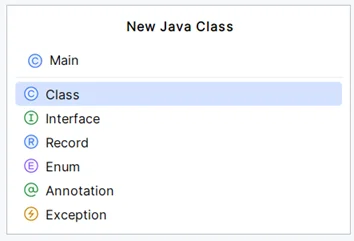
2. For example, name it “Main” and press Enter.
3. IntelliJ creates the Main.java file.
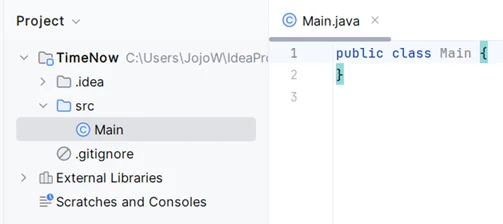
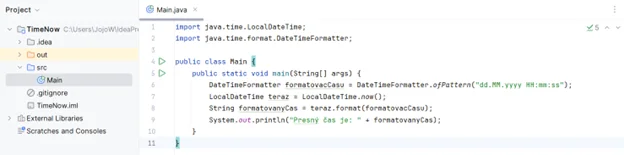
4. Edit this file as follows. Feel free to copy this code and explain each line.
1.	import java.time.LocalDateTime;
2.	import java.time.format.DateTimeFormatter;
3.
4.	public class Main {
5.	    public static void main(String[] args) {
6.	        DateTimeFormatter formatovacCasu = DateTimeFormatter.ofPattern("dd.MM.yyyy HH:mm:ss");
7.	        LocalDateTime teraz = LocalDateTime.now();
8.	        String formatovanyCas = teraz.format(formatovacCasu);
9.	        System.out.println("Presný čas je: " + formatovanyCas);
10.	    }
11.	}
This is what the resulting TimeNow “Hello World” application looks like in Java
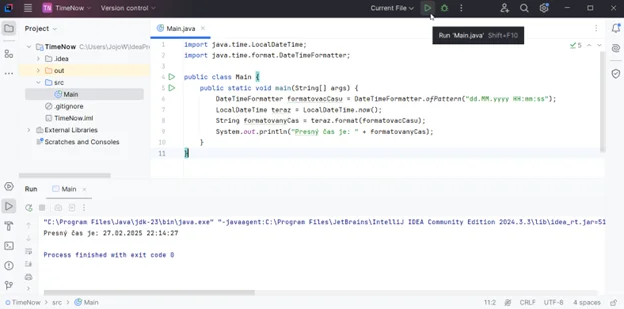
Now you can finally run your Hello World Java application via Run (in IntelliJ it’s a green triangle) and a message will appear in the console with the exact date and time.
Starting a completed TimeNow program
If you like programming in Java and want to program something a bit more complex, try our next tutorial on how to program a Java game. After all, we learn the most when we play.
On msgprogramator.sk we have other tutorials – not only for Java games, but even for AI – but these are intended for more advanced programmers. You can also learn design patterns that will definitely come in handy when developing applications.
This article takes you step-by-step through the creation of your first hello world Java application called TimeNow, which displays the current date and time. You learned how to install the necessary tools, create a new project, write and run the code. This simple example will give you a solid foundation for future Java programming and open the door to more complex projects. If you enjoy programming, continue with more tutorials and games to help you develop your skills.
This program is important because it teaches you basic programming concepts such as syntax and output. It’s an easy way for you to become familiar with a new programming language.
To run the hello world program in Java, you need to install the JDK and the IDE. Then you create a new Java project, add a class with the main() method, and use System.out.println(“Hello, World!”).
Basically, it is the simplest possible program that demonstrates how to write, translate and run code in a given language. “Hello world” programs are also useful for verifying that the development environment is set up and working properly. In Java, such a program would look like the following:
public class HelloWorld {
public static void main(String[] args) {
System.out.println("Hello, World!");
   }
}
This code creates a class called HelloWorld, which contains the main() method. When you run this program, the text “Hello, World!” is displayed on the console. This simple example will help you understand how Java works and how to write basic programs.
Once you’ve programmed a hello world program, you can try creating more complex programs, such as simple games or apps. You can also learn design patterns and other advanced programming concepts.

Related articles