




Java programmer expert


Java HashMap is one of a number of data structures for efficient data handling. In our series, we will introduce various other collections in turn. We will show how to work with them, what operations can be done with them or which methods are most commonly used. We will also mention their advantages and disadvantages and when it is appropriate to use a particular data structure.

V článku sa dozvieš:
In this article, we will focus on one of the data structures, the HashMap class, which allows the storage of key-value pairs and provides quick access to values based on keys.
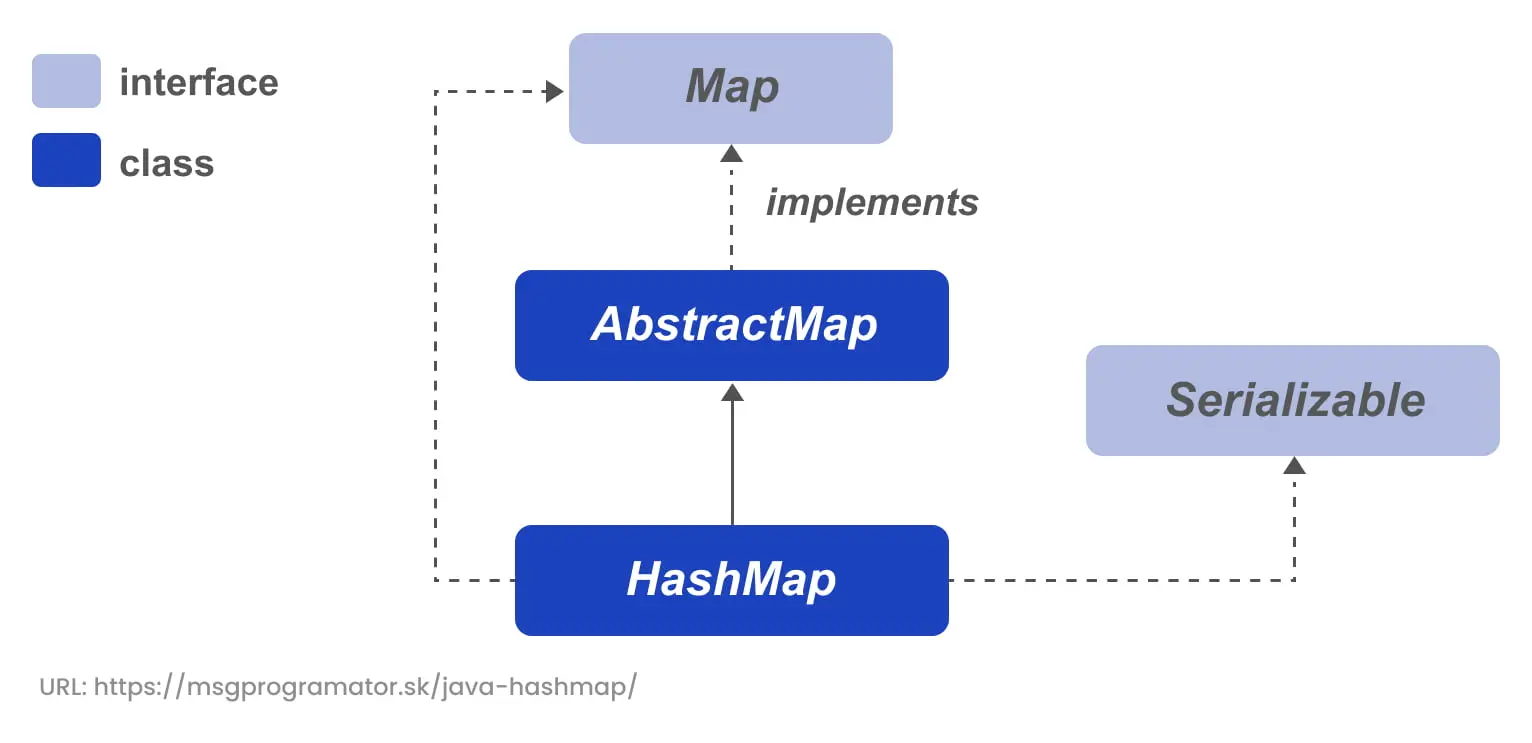
The Java HashMap class is an implementation of the Map interface in the java.util package. It allows the storage of key-value pairs, where each key is unique and maps to a specific value. This implementation provides all optional map operations and allows null values and null keys.
The HashMap class is roughly equivalent to the Hashtable class, except that HashMap is unsynchronized and allows null values. HashMap uses a hash table to store elements, providing fast lookup, insertion, and removal of elements with an average time complexity of O(1). It is important to note that HashMap does not maintain the order of the inserted elements.
We have several constructors available to create a HashMap instance:
1. Empty HashMap with default capacity and load factor
Creates an empty HashMap with default initial capacity (16) and load factor (0.75).
HashMap<K, V> map = new HashMap<>();2. HashMap with a specified initial capacity
Creates an empty HashMap with the specified initial capacity and default load factor (0.75).
HashMap<K, V> map = new HashMap<>(int initialCapacity);3. HashMap with specified initial capacity and load factor
Creates an empty HashMap with the specified initial capacity and load factor.
HashMap<K, V> map = new HashMap<>(int initialCapacity, float loadFactor);4. HashMap constructed from Map
Creates a new HashMap with the same mappings as the given Map.
HashMap(Map<? extends K,? extends V> m)These technical concepts related to creating a hash map have already been covered in the HashTable class, so I won’t repeat them here.
Some of the basic operations we can perform with HashMap include:
For a complete overview of the HashMap class methods, see official documentation.
The Java HashMap is suitable in the following situations:
However, it is not suitable if we need to preserve the order of the inserted elements. In this case, LinkedHashMap is a better choice.
HashMap excels at efficiently storing key-value pairs and retrieving them quickly thanks to a hashing method when we need to retrieve and use them. herefore, HashMap has a wide range of applications.
We illustrate the use of the HashMap collection with the example of elections. We will define a list of candidates and use the voting() method to simulate a secret ballot. We will use the HashMap data structure to count the votes, where the key will be the name of the candidate and the value will be the current number of votes. Finally, we list the number of votes for each candidate.
VotingSystem.java
import java.util.HashMap;
import java.util.Map;
import java.util.List;
import java.util.Arrays;
import java.util.Random;

public class VotingSystem {
    public static void main(String[] args) {
        // List of candidates
        List<String> candidates = Arrays.asList("Alica", "Beata", "Cyril", "Dominik", "Jozef");

        // Create a HashMap to store vote counts
        HashMap<String, Integer> voteCounts = new HashMap<>();

        // Run the voting simulation with N votes
        int numberOfVotes = 1000;  // Change this number for different simulation sizes
        voting(voteCounts, candidates, numberOfVotes);

        // Display final election results
        System.out.println("Election results:");
        for (Map.Entry<String, Integer> entry : voteCounts.entrySet()) {
            System.out.println(entry.getKey() + ": " + entry.getValue() + " votes");
        }
    }

    // Voting method that simulates N random votes
    public static void voting(HashMap<String, Integer> voteCounts, List<String> candidates, int N) {
        Random random = new Random();

        for (int i = 0; i < N; i++) {
            // Randomly select a candidate from the list
            String selectedCandidate = candidates.get(random.nextInt(candidates.size()));

            // Add vote to the candidate in HashMap
            voteCounts.put(selectedCandidate, voteCounts.getOrDefault(selectedCandidate, 0) + 1);
        }
    }
}
The output of this example is:
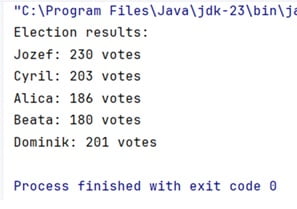
We have prepared the files with the above example in the form of code that you can run directly in Java. Download the Java code for HashMap here.

Related articles